BrewTinker
Turn every brew into data you can learn from
A local-first brewing log and analysis tool for pour-over and espresso enthusiasts. Parameters, flavor radar, experiment variables, and tasting memos stay on your iPhone — no accounts, zero third-party telemetry.
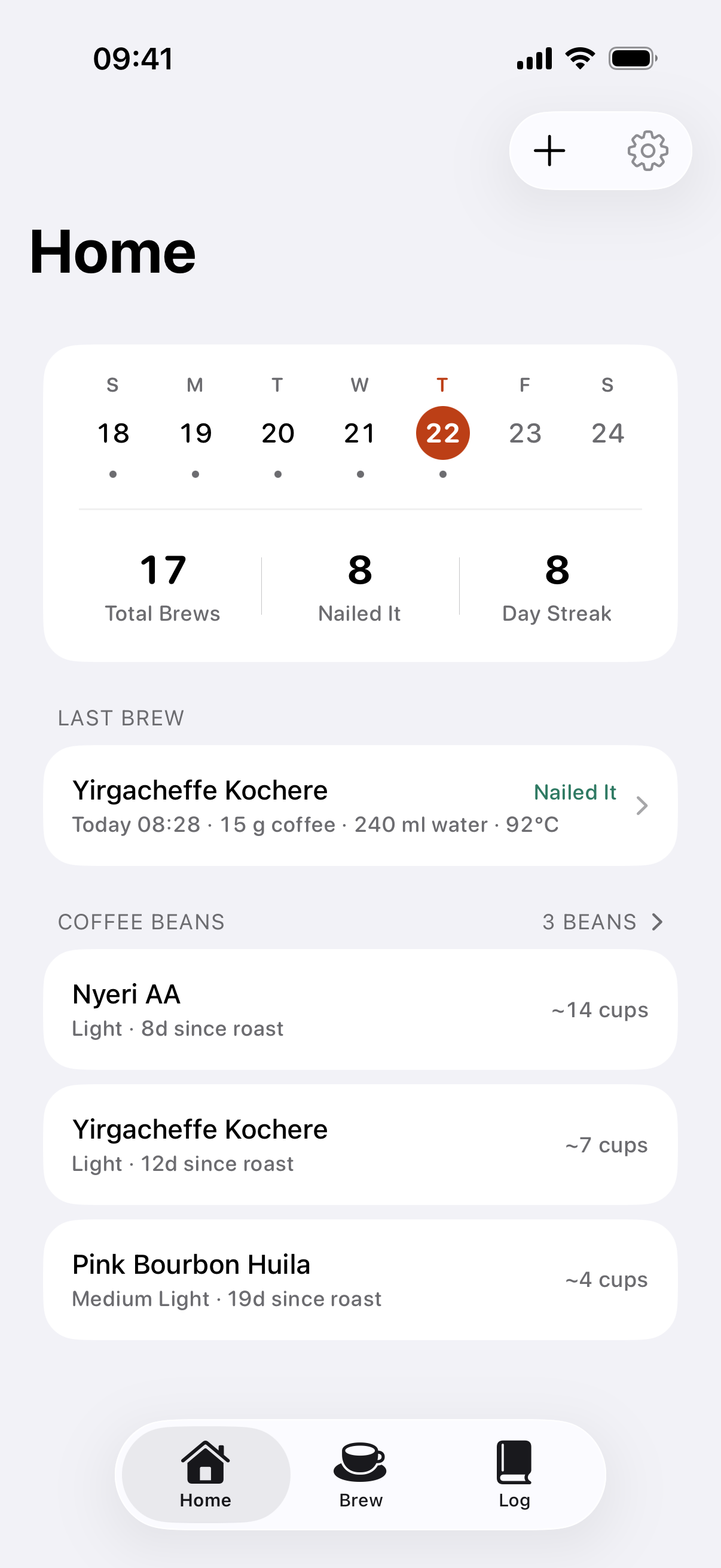
Command Center · Weekly stats, score trends & peak freshness
Core Principle: Built for the Next Cup
Not a social check-in feed. Not a coffee encyclopedia. Clear, structured records that give every future adjustment clear evidence.
Structured Parameter Capture
Bean origin, roast date, grind size, ratio, water temp, pour stages, and total time saved in one structured record.
Controlled Variable Tagging
Mark test variables and baselines (e.g. grind +1 click or water temp -2°C) to isolate true cause and effect.
Next Adjustment Memo
Note down what to change next while tasting. When brewing this bean again, the memo is pinned to the top.
1-Tap Brew Again Diff
Carry previous parameters directly into a new session, automatically highlighting what changed this time.
6 Core Modules, Designed for Craft
From the daily command center to focused single-screen timing, 6-axis flavor radars to analytical data exports.
Trends & Bean Freshness
Smart Pre-Fill & Step Tweaks
Focused Single Screen
Dense Timeline Archive
6-Axis Flavor Radar
Open Data Architecture
Open Data for Deeper Analysis
One row per cup, one column per parameter. Exported CSV and JSON files integrate directly with Excel, Numbers, R, or Python.
timestamp,bean_name,origin,roast_level,grind_setting,dose_g,water_g,ratio,temp_c,time_sec,rating,tds_pct,ey_pct,experiment_var,next_adjustment
2026-09-25T08:28:00Z,"Yirgacheffe Kochere",Ethiopia,Light,Medium-Fine,15.0,240.0,16.0,92,158,4.8,1.38,19.6,"Temp -2C","Keep 92C, try ratio 1:15"
2026-09-24T09:27:00Z,"Yirgacheffe Kochere",Ethiopia,Light,Medium-Fine,15.0,240.0,16.0,94,161,4.2,1.44,20.2,"Baseline","Tail bitterness; lower temp to 92C"
2026-09-23T08:26:00Z,"Nyeri AA",Kenya,Light,Medium-Fine,15.0,250.0,16.7,93,188,4.7,1.40,19.8,"Ratio 1:16.7","Vibrant blackberry acidity, keep recipe"CSV Format
Contains grind size, ratio, water temp, score, TDS, and sensory metrics for spreadsheets and statistical modeling.
JSON Format
Lossless full structured backup preserving step timings and recipe trees for re-importing anytime.
Plain TXT
Clean, legible text format perfect for note-taking apps or quick sharing in chat.
Frequently Asked Questions
What is the current release status of BrewTinker? How do I download it?
BrewTinker v1.0.4 is officially available on the Apple App Store! You can search for "BrewTinker - Brew Log" directly on the App Store or use the download link on this site. It requires iOS 17.0 or later on iPhone.
Does version 1.0.4 support Bluetooth smart scales? Can I use it without hardware?
Version 1.0.4 is laser-focused on a frictionless, standalone manual brewing and timing workflow with zero Bluetooth accessory requirements. Timer, stage target recalculations, and parameter inputs are deeply optimized for speed. Direct BLE scale and smart thermometer connectivity are planned for upcoming updates.
Why no cloud sync or user accounts?
Coffee brewing data is deeply personal. A local-first architecture delivers instant startup, absolute privacy, and zero risk of losing data due to server shutdowns or offline brewing.
What export and backup formats are supported?
You can export all records, current filtered results, or custom date ranges as CSV (for Excel/Python), JSON (for lossless backup/restore), or Plain Text. Note: PDF export has been deliberately removed to prevent formatting inconsistencies.
Where is the Settings menu?
To keep the brewing canvas uncluttered, Settings is located at the top-right corner of the Home screen, containing gear profiles, Pro status, and legal disclosures.
What is the pricing model for BrewTinker Pro?
Core brewing, timer, logging, experiments, Brew Again diffs, and all export formats are 100% free with zero ads. BrewTinker Pro is an optional one-time lifetime purchase (no subscriptions) handled via Apple StoreKit, unlocking Home Screen Widgets, Shortcuts, and multiple grinder/dripper profiles.
Stop Relying on Coffee Guesswork
Capture real variables from every brew, so every adjustment is guided by evidence.